SmartPort Arduino
Rokenbok vehicles can be controlled using an Arduino connected to the SmartPort on a Command Deck. This allows for up to 15 vehicles to be controlled with up to 12 controllers.
Requirements
Arduino IDE (for installation on the Arduino)
Rokenbok Command Deck (Gen 1)
5V logic Arduino with USB-over-serial support (Uno recommended)
Mini-DIN 6 cable (the Smartport connector)
Configuration
Download the
smart_port_arduino.inosketch from the Smart-Port-Arduino repositoryInstall the sketch with Arduino IDE and make note of the serial device name/path
Modify the following in
settings.ini:Add the serial device name/path you noted earlier as
serial_portunder the[smartport_arduino]section:
[smartport_arduino]
serial_port = COM3  # Replace with what was shown in the Arduino IDE
Add the name of each of the vehicles connected along with their number under
[smartport_arduino.vehicles]:
[smartport_arduino.vehicles]
1 = Dozer
2 = Skiptrack
3 = Loader
# ... and so on ...
Wiring the Arduino to the Command Deck
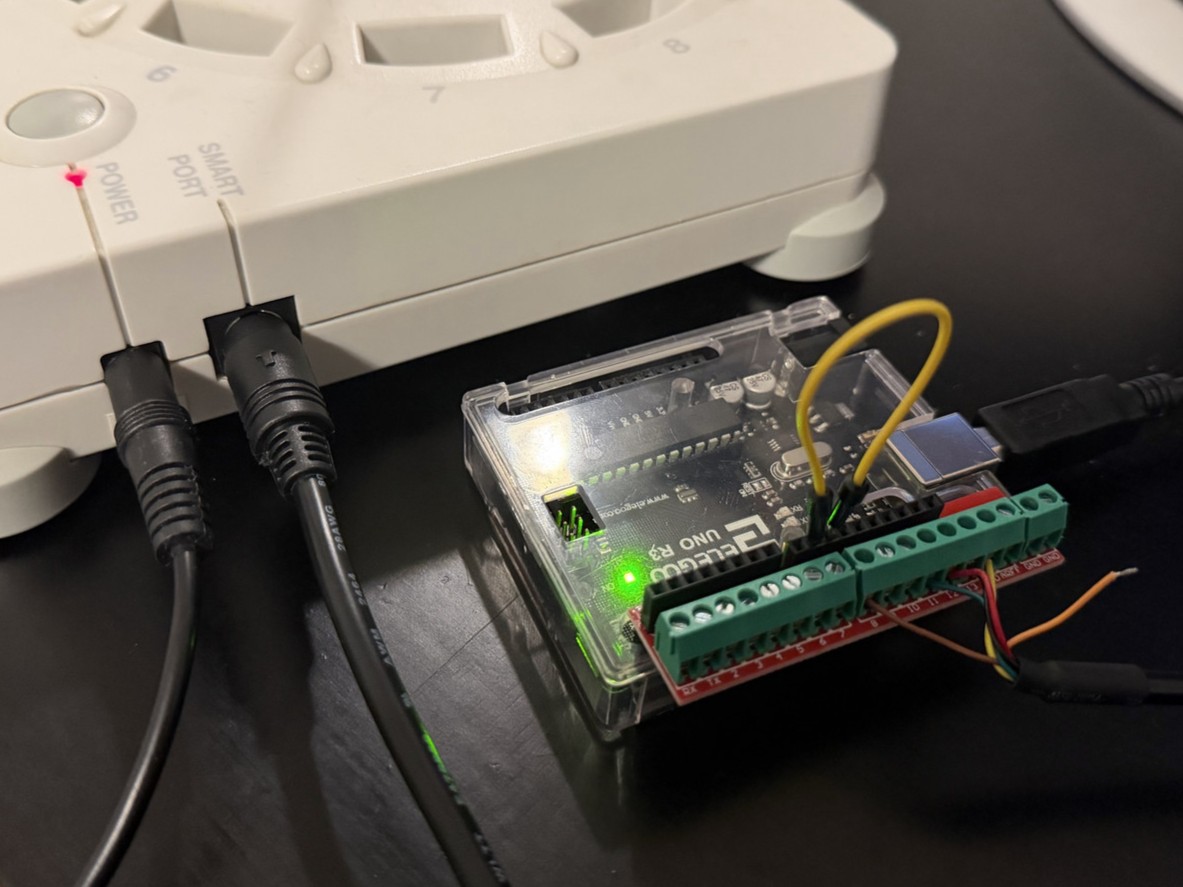
An easy way to get set up is buying a screw terminal HAT or adapter along with a Mini-DIN 6 breakout cable to make a solid connection without any soldering needed as shown below:
SmartPort pinout
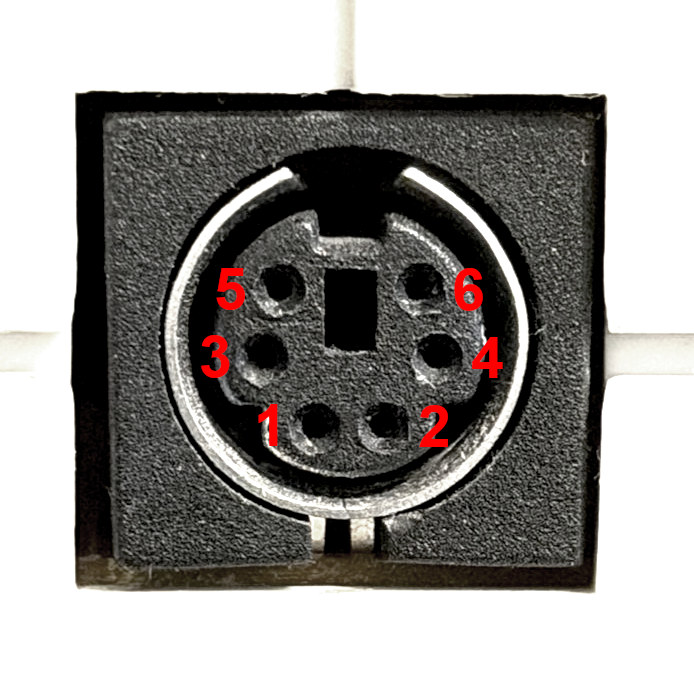
SmartPort pin |
Arduino pin |
Function |
|---|---|---|
1 |
12 |
MISO |
2 |
13 |
Serial clock |
3 |
- |
Frame end |
4 |
11 |
MOSI |
5 |
GND |
Ground |
6 |
8 |
Slave ready |
- |
9 * |
Slave ready (virtual) |
- |
10 * |
Slave select |
* Pins 9 and 10 are connected to each other instead of the SmartPort. This can be done with a breadboard jumper wire or even a paperclip.
** Many diagrams will flip the orientation of these pins horizontally. The image above is looking at the face of the port